SEO has become as routine as food everyone seems to be following some diet plan, but only a few know what actually works. Countless agencies and professionals promise fast results, yet most fail to deliver. Many traditional tactics no longer work, and if you’re still relying on them to dominate search results in 2026, it’s time to switch to a new plan.
I can tell you hundreds of SEO tactics, but not all of them will work for your site. However, a few really good SEO strategies are eternal. They continue to work, whether it’s 1990 or 2026. What you should know is that good SEO takes time, sometimes a few months, sometimes over a year. That doesn’t necessarily mean your SEO strategy is wrong; it just means you should keep trust.
That said, some SEO strategies can deliver results faster than others. In this article, we’re going to talk about 102 such effective on-page and off-page SEO tactics that you can use now to drive more traffic to your website or local business.
Fill The Form To Talk To An SEO Expert For Your Project
Table of Contents
Must-Know On-page and Off-page SEO Strategy, Tips & Tricks
1. Use Video & Optimize It
Video is a major ranking tool. Create and optimize videos for YouTube. Add keyword-rich titles, descriptions, and transcripts. Embed videos on your website and blogs to increase dwell time. Create Reels or Shorts to get viral quickly. Videos achieve fast reach in both traditional SERPs and social media, making them an essential tool for SEO success.
2. Focus on User Intent
Google’s AI (Overviews) shows results based on search intent, making it crucial that your content carries a clear intent, whether it’s informational, navigational, transactional, or commercial. Your content must match its specific search intent to appear in search results for the right queries.
E-E-A-T has replaced E-A-T and now prioritizes real authority with first-hand experience and credibility. Including your professional background and credentials in the author bio, especially for deep research topics like health, finance, and law, demonstrates strong expertise and boosts search visibility.
4. Build User-Friendly Content
User experience remains a top search engine ranking factor. Google analyzes Core Web Vitals such as INP, LCP, and CLS to evaluate page experience. Pages that load quickly, are easy to use, and remain visually attractive yet minimal tend to see higher rankings and conversions.
5. Leverage User Reviews & Citations
Reviews are another key ranking factor, especially for local and e-commerce SEO. Review optimization involves encouraging reviews on Google Business Profile, Trustpilot, and social media, promptly responding to all feedback, and implementing the Review schema on your site to display ratings.
6. Integrate SEO in Your Web Design
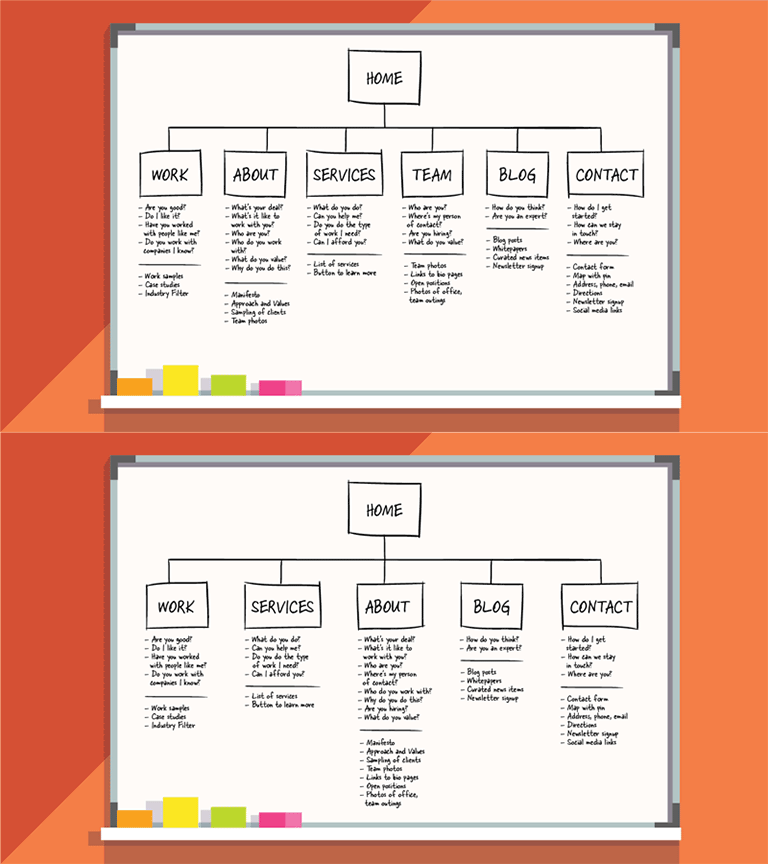
Include SEO professionals from the planning stage, whether you’re redesigning a website or migrating CMS. Fix URL structures, eliminate heavy scripts, optimize internal linking, and fix technical errors even before launch.
7. Set Realistic Client Expectations
SEO is an organic marketing technique, so results take longer, especially in AI-driven SERPs. If a client asks about the potential timeline, be real rather than making fake promises. Explain factors like keyword difficulty, competitor authority, and traffic forecasts that affect this timeline.
8. Research Beyond Exact-Match Keywords
Exact-match keywords matter less now than ever. Rather than creating content around just your specific target keywords, build topic clusters around semantic keywords, long-tail terms, and People Also Ask queries.
9. Personalize Your CTAs
Personalize CTAs based on your goals, user type, traffic source, device, and intent. This can help boost conversions. Test variations to know what works. Personalize CTA messaging with specific user pain points and intent. Use location and browsing data to understand user behavior.
10. Choose a Short Domain Name
URL structures are important for SEO. Short, unique, and easy-to-remember domain names tend to receive attention quickly. While URLs with exact-match keywords can temporarily help your SEO, unique domain names can do wonders for your brand authority and backlink growth.
11. Fix Site Inconsistencies
Use 301 redirects to remove canonical redundancies. Implement HTTPS on your site and ensure only this version is accessible. Verify indexing of each page through Google Search Console.
For example, search the following:
http://example.com
http://www.example.com
https://example.com
https://www.example.com
Mobile SEO Tips
12. Adopt a Mobile-First Approach
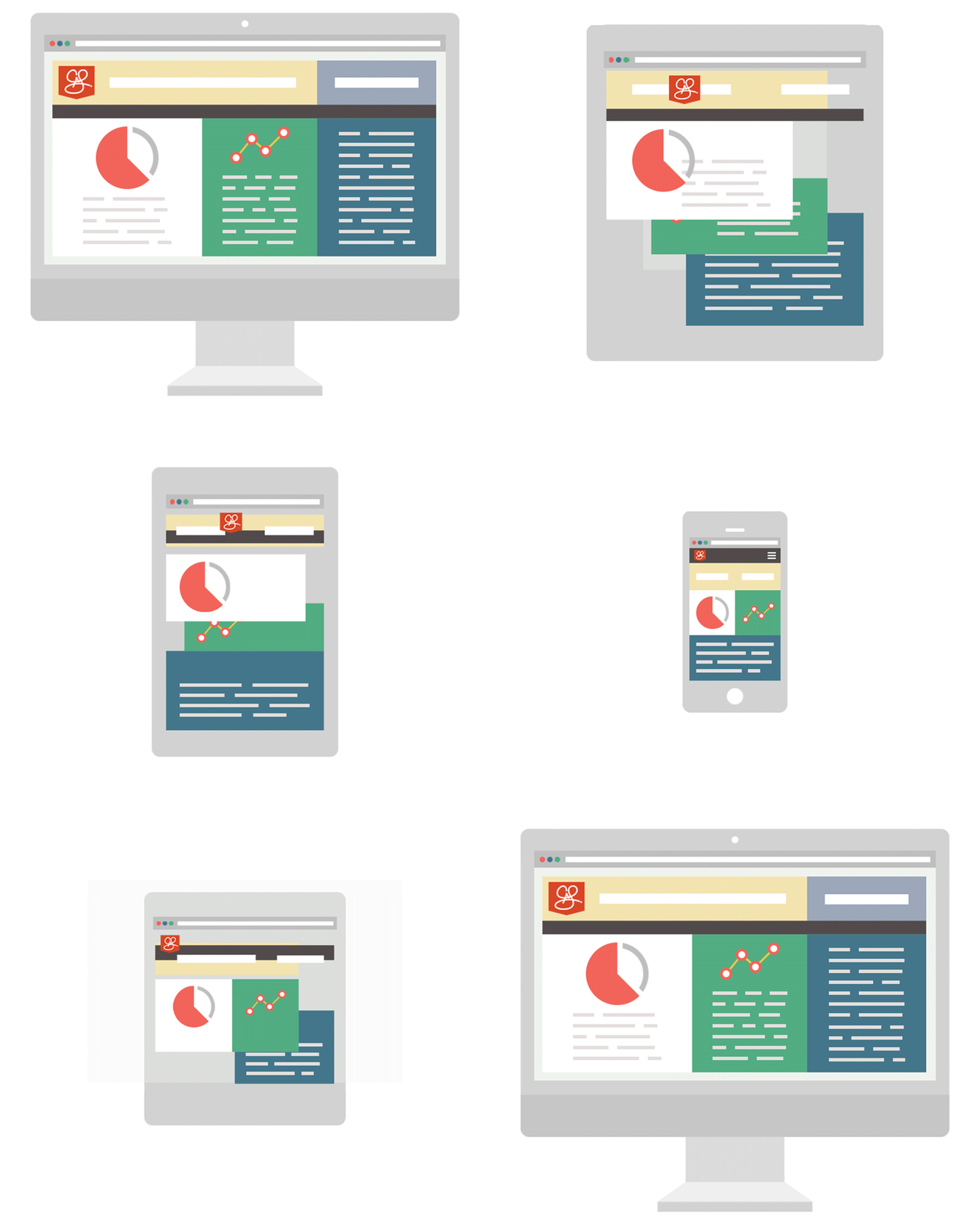
Mobile-first indexing is the new standard. If you’re still offering the old desktop variant on mobile, shift today. Ensure your website implements mobile Core Web Vitals: LCP under 2.5 seconds, INP below 200ms, and CLS under 0.1. Test your web design with Mobile and PageSpeed Insights tools.
13. Evaluate PWA for Your Site
AMP (Accelerated Mobile Pages) is outdated. Focus instead on PWAs (Progressive Web Apps) and strong Core Web Vitals to make your site more mobile-friendly, provide offline access, enable faster loading, and improve engagement.
14. Remove Intrusive Pop-Ups
Google doesn’t like intrusive mobile pop-ups at all, nor do humans. Avoid full-screen ads that block content. Use small, engaging and crossable banners for sign-ups or offers.
15. Implement Scroll Tracking
Use Google Tag Manager and Google Analytics to track scroll depth. This allows site owners to identify engagement levels and know which content is more popular than others.
16. Add Lead-Capture Forms to Fast Pages
Place lightweight, engaging lead-capture forms on high-performing pages without impacting readability. Use native HTML forms. Avoid or limit JavaScript. Inline forms are generally more user-friendly than pop-ups.
17. Use PWA for B2C Brands
B2C brands that want to make their business mobile-friendly without creating dedicated mobile apps can consider PWAs. These are faster than standard websites, can function offline, and send push notifications without app store approval. Modern PWAs can significantly reduce bounce rates and improve engagement.
18. Use Breadcrumbs on Mobile
Use breadcrumbs to improve navigation and SEO on your site, especially on mobile. They appear in mobile search results and can greatly boost your CTR. Implement BreadcrumbList schema markup for efficient implementation.
Technical SEO Tips
19. Ensure Full HTTPS Migration
HTTPS is the sign of a secure website. Implement HSTS on your site, secure all third-party resources that you use, and maintain valid SSL certificates with auto-renewal.
20. Understand Canonical Tags & Crawl Budget
For large websites with multiple canonical pages, considering crawl budget is crucial. Use canonical tags correctly and only when required, block or remove low-value pages, and maintain updated XML sitemaps containing only working URLs.
21. Optimize Site Speed (Core Web Vitals)
Core Web Vitals are a crucial ranking parameter in 2026. Ideally, your website should have
LCP under 2.5s
INP under 200ms
CLS below 0.1
Use PageSpeed Insights and other GSC tools to identify and fix issues. Repair lazy loading, optimize images, and remove render-blocking scripts.
22. Optimize for Google News & Top Stories
If you’re publishing original, timely content to improve your brand authority, try to get featured in Google News and top news sites. Implementing NewsArticle schema, strong E-E-A-T signals, and fast mobile performance can help expand your reach in Google News.
23. Use rel=canonical Correctly
Canonical tags are used for managing duplicate pages on a website. Use self-referencing canonicals on every page to avoid duplication issues caused by dynamic URLs. Avoid cross-domain canonicals unless syndicating content. Always maintain canonicals server-side, as crawlers may ignore JavaScript versions.
24. Verify Page Indexing
Monitor the indexing of all major website pages through Google Search Console regularly. Check the status, whether it’s indexed, Discovered – currently not indexed, or Crawled – currently not indexed. Common causes of failed or delayed indexing include thin content, slow loading speed, poor internal linking, and a lack of E-E-A-T.
25. One H1 Tag Per Page
Although multiple H1s are allowed on a page, using one clear H1 highlights the main heading. Make it unique, include the primary keyword, and clearly express the topic.
26. Add Image Alt Attributes
As more people use Google Lens and visual search, alt tags have become increasingly important for SEO. Use relevant, clear, and unique alt text for each image on a page. Well-optimized, alt-rich images can drive substantial traffic from image search.
27. Use Multiple Sitemaps for Large Sites
more than 1 sitemap
Sites with thousands of pages should use separate sitemaps for blogs, products, and media to maintain order. Ensure that a sitemap file doesn’t exceed 50MB and 50,000 URLs. Update them regularly. Submit them directly to Google Search Console for efficient crawling after updating.
28. Manage URL Parameters
The two best ways to manage parameters include canonical tags and selective robots.txt blocking. Keep only one version of each page indexable; block all others.
29. Update Internal Links to HTTPS
Ensure internal links point directly to final secure (HTTPS) URLs rather than redirections. Eliminating unnecessary redirections can improve page speed and boost link value.
30. Add Breadcrumbs to Your Site
Use BreadcrumbList schema markup on your site. Breadcrumbs improve navigation, make it easy for users to find what they’re looking for, and may even increase click-through rates (CTR) and decrease bounce rates.
31. Audit & Clean Up Redirects
Perform regular site audits to identify redirects. Replace multiple redirect chains with single 301 redirects. Long redirect chains exhaust crawlers and slow pages. Use 301s for permanent redirects and maintain a clear record.
32. Use Modern Image Formats
Optimize images. AVIF is the new standard for highly compressed web photos. Use AVIF for photos and SVG for logos. Consider serving images through a CDN with dynamic format conversion to save space and maximize speed.
33. Use a CDN
Large, competitive websites should consider using a Content Delivery Network (CDN) like Cloudflare, Fastly, or CloudFront to reduce response times and improve delivery speed, caching, image optimization, HTTPS, DDoS protection, and HTTP/3 support.
34. Optimize Images Properly
Compress images but do not compromise quality. High-quality photos are a great engagement tool. While reducing image size is crucial for SEO, make sure the difference is not visible. Image optimization directly affects Core Web Vitals and overall user experience.
35. Use Canonical Tags for Similar Products
For product variants such as different sizes or colors of the same product, use canonical tags to avoid duplicate-content issues.
36. Use Quality Hosting
Most server errors stem from poor hosting quality. Replacing your hosting provider can significantly boost Core Web Vitals. Choose managed hosting with sufficient bandwidth, SSD storage, CDN integration, HTTPS integration, and auto-scaling.
37. Optimize for Visual Search
Google Lens is currently processing over 25 billion visual searches per month. Using original, high-quality product images, Product schema, descriptive alt text, and multiple image variants can boost search visibility and CTR.
38. Use Structured Data Markup
Structured data is vital for AI Overviews and rich search snippets. They are used to differentiate content types such as Article, Product, FAQ, HowTo, Review, Organization, and BreadcrumbList. Use markups to get featured in rich SERP results that improve CTR.
Link Building
39. Disavow Bad Links
Use the disavow tool strategically to remove toxic links that might be harming your business or credibility. Use tools like Ahrefs or Semrush to identify these links and disavow them completely. Avoid excessive disavowing, though, as it may lead to severe link draught.
40. Avoid Paid Links
Google’s SpamBrain is designed to detect various types of manipulative behavior, including paid links. Rather than buying links, invest in creating original research, case studies, and newsworthy content that earns natural links from high-authority domains.
41. Remove or Fix Broken Links
Perform quarterly backlink audits to check link quality and status. Remove links coming from hacked websites, dead domains, removed pages, irrelevant or foreign-language sites, and PBNs.
42. Avoid Low-Quality Directory Links
Building bulk directory links is an outdated and low-value technique that no longer works. Instead, focus on relevant, authoritative directories that can generate value as well as referral traffic. Google values source relevance and quality far more than link volume.
43. Fix Internal Linking
Strategic internal linking is crucial for seamless website navigation and user experience. Use meaningful links within your blog content to distribute authority and traffic to key pages. Create cluster pages that link and support pillar pages. Use clear, descriptive anchors and check links regularly for broken pages.
44. Maintain a Healthy Link Profile
A natural backlink profile includes a mix of branded anchors, keywords, URLs, long phrases, and no-follow links. Excessive exact-match keywords may seem manipulative to search engines. Build links consistently over time, maintaining a natural distribution of anchor text.
45. Prioritize Link Quality Over Quantity
This one is obvious, yet often ignored. In a bid to build a hefty link profile, marketers often compromise quality. For Google, one high-quality link from a relevant, authoritative site is worth far more than thousands from weak, unrelated domains. Some examples of quality backlink sources include Digital PR, news portals, expert commentary, original research, infographics, guest contributions, and content outreach.
46. Manual Outreach for Links & PR
Reach out to top industry blogs and influencers with a specific piece of content and clearly explain how it can help their website and audience. Use tools like Hunter.io, Pitchbox, or BuzzStream to find outreach opportunities.
47. Use rel=nofollow on Outbound Links When Appropriate
Use appropriate HTML attributes, such as rel=”nofollow”, rel=”sponsored”, and rel=”ugc” to categorize different types of outbound links. Assign ‘nofollow’ to links that do not offer incredible value to your site but are still needed.
48. Use nofollow on User-Generated Links
Apply nofollow to links generated by your website users, such as links added to a blog post comment. No-follow links do not pass authority to the linked site, reflecting that you do not explicitly support the site.
49. Link Homepage to Major Landing Pages
Link all related pages together to create an information hub that benefits both your visitors and search engines. In addition, link all primary pages on your site, including services, contact, about, location, etc., to the homepage, improving discoverability.
50. Guest Posting
Guest posting is one of the most effective link-building strategies when done right. Strategically choose niche-relevant, high-authority blogs with an active audience. Contribute valuable content in exchange for an organic backlink within the content or author bio, improved brand visibility, and direct traffic. Avoid blog farms.
Content Optimization
51. Write for Topics, Not Just Keywords
Topical authority is the new king. Anyone can write one or two articles on a given topic; it takes a true expert to write an entire cluster of pages covering a single topic or related subtopics. Google rewards comprehensive topic coverage backed by certified authority. Use tools like Ahrefs and Semrush to identify content opportunities.
52. Avoid Thin Content
Thin content refers to content that offers zero real value or purpose. Google’s Helpful Content system penalizes or ignores thin content and rewards pages with useful, high-quality content. Update duplicate, weak, or outdated content with expert insights, data, case studies and visuals, or merge them to create valuable resources.
53. Eliminate Duplicate Content
Remove duplicate or copy content entirely. Manage duplicate pages using canonical tags or 301 redirects. Google doesn’t like duplicate content at all and may even treat it as a spam indicator. Regular audits help maintain content quality.
54. Update & Refresh Old Content
Content will lose rankings over time due to increasing competition, changing trends, and shifting search dynamics. To stay relevant, update your content regularly. Include the latest statistics, quotes, examples, and new sections. Updating existing content often leads to better SEO results than creating new pages.
55. Create FAQs
In the modern AI-driven search landscape, FAQs are one of your strongest tools for boosting visibility in AI results (such as AI Overviews and ChatGPT Search) by providing clear, precise answers to common user queries on your website or on relevant product pages. AI may show exact answers directly from your website (along with the source link) in response to relevant queries.
56. Syndicate Content Strategically
If you use syndication on your site, only syndicate content to authoritative, well-recognized platforms. Use canonical tags to point to the source. Proper syndication can expand your reach without causing duplication issues.
57. Repurpose Content Across Formats
Repurposing is completely legitimate and a wonderful way to maximize content ROI. Use one long-form article to create videos, infographics, short blog posts, newsletters, email campaigns, social posts and threads, podcasts, and images. Use AI tools to find creative ideas for repurposing content.
58. Edit & Proofread Thoroughly
Content quality and usefulness are extremely important after Google’s Helpful Content Updates. Proofread and edit for grammar, accuracy, readability, and source credibility. If you’re using AI to write content, ensure you verify every fact and statement with sources.
59. Search Creative Content Ideas Online
Use Google Search and tools such as BuzzSumo, Ahrefs Content Explorer, Google Trends, Reddit, AnswerThePublic, and Quora to find unique, exciting content ideas. Use AI to find gaps between content demand and supply.
60. Remove or Update Outdated Content
Conduct annual content audits. Remove pages with no real value, traffic, or backlinks. Merge several pages with thin content into one strong, in-depth article.
61. Check Content Caching Dates
Use Google’s URL Inspection tool or cache searches to check when a page was last crawled. Prioritize linking to sites that are crawled frequently, as your links are discovered faster there.
62. Write in a Conversational Tone
Conversational writing not only engages readers but also intrigues search engines, especially AI Overviews and voice search. Content with natural language and direct answers is more likely to appear in AI results. Structure pages to provide precise answers to user questions.
63. Write Unique Product Descriptions
Each product is unique, so each product page deserves a tailored description that highlights the product’s benefits, use cases, and features, along with answers to buyer questions. Add real customer insights and reviews.
64. Test & Optimize Meta Descriptions
Use unique, relevant meta descriptions including target keywords for each page to improve CTR in search results. Identify pages with high impressions and low CTR. Optimize their meta tags to include value propositions, keywords, and calls to action.
65. Eliminate Keyword Cannibalization
Keyword cannibalization happens when multiple pages compete or rank for the same keywords. This can create conflicts and seriously affect your overall search visibility. Identify such pages on your site, consolidate duplicate pages using redirects, and define and use a single primary keyword for each unique page to avoid cannibalization.
66. Analyze & Fill Content Gaps
Use tools such as Ahrefs Content Gap or Semrush Keyword Gap to identify content opportunities. Prioritize keywords with strong search volume and low to moderate ranking difficulty.
67. Personalized Content
Use cache and user preferences to offer personalized content to your site visitors. This improves engagement and conversions. Create content tailored to the location, device, traffic source, and past behavior of your standard audience.
Local SEO
68. Create Local Content & Guides
To build your local authority and expand reach, publish hyperlocal content such as neighborhood guides and write about local events. Create location-specific pages or a dedicated, optimized page for each location you serve. These help expand your reach in relevant “near me” searches on Google and Maps.
Are you struggling to improve your online visibility and attract more local customers to your business? It’s time to take action to hire a local SEO services provider and make a significant impact on your digital presence.
69. Build Local Tour Guides
Travel businesses can use schemas such as TouristDestination, LodgingBusiness, and TouristAttraction to optimize for appearing in local travel-related search results. Maintain an up-to-date Google Business Profile with consistent NAP, quality photos, accurate contact details, and regular updates.
70. Use Google Local Inventory Ads
For small local businesses, Local Inventory Ads can help compete with big brands by allowing them to display real-time product availability, local stock, and same-day pickup options right in their Google Business Profiles (Merchant Center).
71. Generate Real Reviews
Reviews matter more than anything else for local search ranking. Ask your customers to share feedback after every purchase. Send them requests or reminders through emails, SMS, WhatsApp, QR codes, and direct links. Make it as easy as possible. Respond promptly to every review, especially negative feedback, to show that you care.
72. Optimize for Specific Locations
Go beyond city-level targeting by creating or optimizing content for specific neighborhoods, suburbs, and zones. Use geographic tracking data to identify areas that drive maximum traffic and create unique pages for each location with engaging local content.
73. Consistent NAP for Multiple Listings
Maintain consistent business information, specifically Name, Address, and Phone Number, across all your online business listings. If you serve multiple locations, ensure that each location has its own Google Business Profile, landing page, unique reviews, and local citations.
74. Optimize Location Pages
Location pages should be optimized with high-quality local content that resonates with your audience. Add local team photos, customer testimonials, videos, and embedded maps. Avoid using duplicate content across all sub-location pages.
75. Add Photos to Local Listings
Adding real, current photos can give you a distinct advantage in search results. Businesses with hundreds of Google Business Profile photos receive far more attention and calls. Upload new photos every week or day. High-quality real business images also help Google’s AI bots understand exactly what you do.
76. Optimize for ‘Near Me’ Searches
‘Near me’ searches should be the ultimate target for local businesses. Optimize for them by maintaining a complete, verified and up-to-date Google Business Profile, building consistent citations, earning real customer reviews and local backlinks, and writing extensively about neighborhoods you serve.
Analytics & Tools
Tools such as Google Analytics (GA4) are a great way to understand how your website is performing in search and what you can do to improve.
77. Analyze Exit Pages
An exit page is the very last web page a visitor normally sees before leaving your website. For example, a thank you page on an e-commerce site. Use tools such as Google Analytics to review the performance of your exit pages in terms of engagement and bounce metrics.
78. Filter Internal Traffic in Analytics
Use GA4’s Internal Traffic filters to exclude internal traffic when determining your website’s actual traffic or visits per month.
79. Analyze Traffic Drops
Keep track of your website’s monthly traffic. If there’s a sudden drop in traffic in a month, check if it corresponds with a Google update. Check the Search Console for manual penalties, site errors, and issues with indexing or Core Web Vitals. Check if competitor pages were also down.
80. Track Competitors
Monitor your major competitors’ performance using tools like Ahrefs and Semrush. Track their ranking, traffic, content type and frequency, backlink profile, and Core Web Vitals. Find which of their content or pages outrank yours. Use this to strengthen your own SEO strategy.
81. Track Conversions in Google Ads
Google Ads shows actual conversions from Ads, including Store Visits, i.e., the number of people who visited your business after checking an ad. Combine this with Local Inventory Ads to understand and boost the advertising ROI.
82. Add All Domain Versions to GSC
Use Domain Properties in GSC to submit HTTP, HTTPS, www, non-www, and all other versions. Verifying your preferred canonical version in GSC allows for comprehensive site performance monitoring.
83. Add Subdomains to GSC
While Domain Properties automatically adds subdomains for every domain you add, you can create specific subdomain properties for deeper analysis.
84. Identify & Improve Low CTR Pages
Identify pages with high impressions but low CTR (below 2%) in GSC. Rewrite snippets or meta descriptions to include exactly what a page is about, the primary keyword, and a compelling CTA.
85. Use GA4 Segments & Explorations
GA4 Explorations enable advanced analysis and deeper insights into the website performance. Here are a few useful tools:
Funnel Exploration: tracks conversions
Path Exploration: maps visitor journeys
Cohort Analysis: measures user retention
Segment Overlap: identifies shared traits
86. Build Custom Dashboards
Use Google’s Data Studio to combine performance reports from GA4, GSC, Google Ads, and other sources. It allows you to track leads, landing pages, traffic sources, Core Web Vitals, rankings, and backlinks in a single dashboard. It also provides AI-generated recommendations.
87. Turn Data Into Actionable Insights
Review your SEO campaign performance weekly. Check rankings, Search Console reports and updates, Core Web Vitals, and specific changes that need your immediate attention. Use findings to define appropriate actions to boost performance.
88. Answer User Questions
Question-focused content (such as FAQs) performs well in AI platforms and voice search by providing direct answers to user queries. Find questions that your audience frequently asks. Answer them clearly and directly in your content, use the FAQ schema, and monitor your visibility in AI search results.
89. Use Bing Webmaster Tools
Do not underestimate the influence of the second most widely used search engine, Bing. Even if you’re not actively optimizing for Bing, use Bing Webmaster Tools for crucial data about keywords, backlinks, and overall site performance.
Social Media
90. Optimize Your X (Twitter) Presence
Use trending topics, tags, and X Cards to improve the visibility of shared content. Get verified to expand your content’s reach. Publish valuable, engaging, long-form posts. Avoid over-promotion. Build your community first.
91. Use Facebook / Meta Open Graph Tags
Implement OG tags to understand your content’s previews across Facebook, LinkedIn, Slack, WhatsApp, X, and Discord. Consistent, engaging and descriptive social previews increase click-through rates and improve content reach.
92. Optimize Your LinkedIn Company Page
Create a business page on LinkedIn if you haven’t already. Complete your profile and post regularly. Use LinkedIn newsletters to generate engagement, write articles, and engage with the audience via comments.
93. Use Instagram for Your E-Commerce Business
Instagram Shopping is a brilliant sales channel for small and growing businesses. Create unique, engaging content, posts, Reels, and Stories and tag your products. Partner with top micro-influencers and KOLs (key opinion leaders) to expand your content’s reach.
94. Use AI to Automate Customer Service
AI-powered customer support is the new normal. Use tools such as Meta AI or Intercom to provide automated, chat-like responses to customer queries across social channels. Fast, personalized responses lead to improved customer experience.
95. Test LinkedIn Ads
LinkedIn Ads allows publishers to target audiences by company, title, experience, skills, and groups. Popular options include Conversation Ads and Thought Leader Ads. Use built-in features like Revenue Attribution reporting and account-based marketing to turn campaigns into real business outcomes.
96. Use Facebook Video & Playlists
Create short video content or Reels, which on average receive more organic reach than regular videos. Use playlists to organize content and increase watch time. Optimize video titles and descriptions with keywords to boost search rankings. Automatically cross-post Instagram Reels to Facebook and vice versa to expand reach.
97. Use Pinterest Shopping Features
Pinterest is one of the top media-sharing and shopping platforms. Use built-in platform features like Pins and ads. Create and optimize boards. Add a business description with keywords. Pinterest content can generate massive traffic over months.
98. Leverage Reddit for Trust Building
Reddit is a discussion and Q&A platform where you can talk about literally anything. Reddit answers frequently appear in Google search results, providing a good opportunity. Write reviews, give advice, and answer user questions honestly to build brand authority. Mention your brand occasionally but not frequently. Use Reddit ads to target niche audiences.
99. Geo-Target Social Media Content
Use location-based targeting to promote your content to audiences in specific regions across Facebook, Instagram, X, and LinkedIn. Create content or share photos of local landmarks, events, and community issues to boost engagement.
100. Engage Authentically on Social
Effective and healthy communication is the key to success on social media. Maintain genuine community engagement through consistent posting, interactions, and responses to comments and DMs. Test different platforms to identify where your target audience is most active.
101. Optimize for TikTok and Instagram “Visual Search”
Optimize your photo/video captions, on-screen text, and hashtags just like you would your website meta tags. Avoid vague or dishonest titles. Clearly name the topic using words your target audience uses.
102. Cross-Publish Content to Pinterest
Repurpose your short-form videos, social posts, and blog graphics by pinning them to your Pinterest account. Add relevant, SEO-friendly descriptions optimized with long-tail keywords to all your Pins and link the image URL directly to your website.
Summary
If you are aware of the above-listed SEO tips and tricks, then you are well versed in modern SEO best practices. You can confidently handle technical audits and communicate your expertise effectively during client meetings just like professionals working at the best SEO companies in the industry.
Mastering SEO is an ongoing journey that requires adapting to changes, experimenting with strategies, and optimizing consistently. By applying these 102 tips, you can set your website up for sustainable success and increased visibility.
For businesses looking to see results without overspending, a budget-friendly SEO plan can be an ideal solution, offering essential tools and strategies to stay competitive without straining resources. Remember, with the right approach and dedication, achieving top rankings is within reach!”
Amit Gupta, who is the CEO and Founder of SAG IPL, founded this company with the vision to become the #1 provider of quality-driven and cost-effective blockchain marketing and development services in the world. As a Chartered Accountant with a keen interest in software and web development, he manages a team of over 200 professionals, comprising designers, developers, and marketers, committed to delivering top-notch web, software, mobile, and blockchain solutions to clients worldwide.
Linkedin